Cursor Email Sending Not Working? Start Here
Signup emails never arrive, or land in spam. Here's why AI-built email breaks - from SMTP to SPF and DKIM - and what to check.
· BuildRescue Engineering
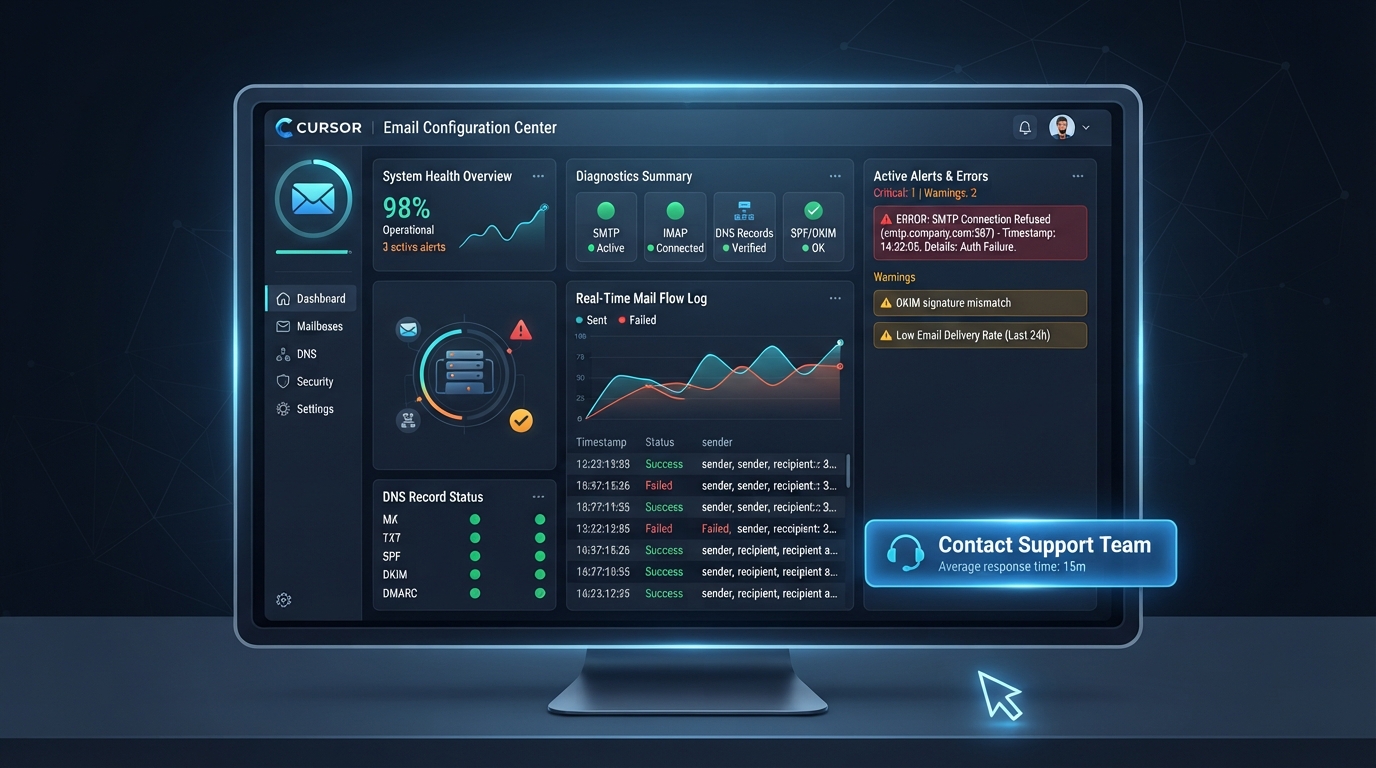
Identifying Email Sending Issues in Cursor Apps
When your Cursor app fails to send emails, it can be a source of significant frustration. The symptom usually manifests as either emails not being delivered at all or ending up in spam folders. This problem is common with AI-generated applications due to the intricate setup requirements of email services.
Email sending issues often stem from misconfigured SMTP servers, incorrect SPF and DKIM records, or general email configuration errors within the app's setup.
SMTP (Simple Mail Transfer Protocol) is crucial for email delivery. It acts as the backbone for sending emails from servers to clients. A typical problem is the incorrect configuration of SMTP settings, which can prevent emails from being sent entirely.
Additionally, Sender Policy Framework (SPF) and DomainKeys Identified Mail (DKIM) are critical for authenticating emails and preventing them from being marked as spam. These records must be accurately set to ensure emails are trusted by recipient servers.
Cursor apps, built using AI tools, often have complex setups where these configurations are automatically generated but may not align precisely with the specific requirements of email providers like SendGrid or Resend. This misalignment can lead to frequent email send failures, making it crucial to understand and identify these potential pitfalls in your email configuration.
Knowing that every email provider might have specific nuances in their setup, it's vital to ensure that your configurations align with these distinct requirements to avoid disruptions in email delivery.
Quick Email Configuration Checks
Before delving into deeper diagnostics, it's worthwhile to conduct a few quick checks on your email configuration to rule out simple setup mistakes. These simple investigations can often save time and frustration, allowing you to confirm that the most common errors are not the source of the problem.
Missteps in configuration are common, especially within AI-generated environments where settings might be auto-filled inaccurately.
One of the first things to verify is the accuracy of your SMTP server details, such as hostname and port, which are crucial for establishing a reliable connection. Similarly, ensuring that your email username and password for SMTP authentication are correct can prevent unnecessary connection failures.
These basic settings are the foundation for any further troubleshooting.
Also, DNS records like SPF and DKIM play a significant role in email deliverability, helping to assure recipient servers of your email's authenticity. Make sure these records are properly set up and that any changes in domain or server setups are reflected accurately in these records.
Additionally, reviewing DMARC settings can provide further assurance that your emails are not mistakenly flagged, allowing for smoother email exchanges.
- Ensure your SMTP server details, such as hostname and port, are correctly entered.
- Verify that your email username and password for SMTP authentication are accurate.
- Check that your SPF record includes all the necessary sending domains.
- Confirm that DKIM keys are correctly set up and associated with your domain.
- Review DMARC settings for any misconfigurations that might affect delivery.
- Test email sending from the app's interface to catch any obvious errors.
- Look for any immediate error messages in the email sending logs.
Common Scenarios Affected by Email Send Failures
Email sending issues are particularly prevalent in specific Cursor setups, especially those integrating with third-party email services like Resend and SendGrid. These services require precise configurations to authenticate and process outbound emails effectively. Apps using these services often encounter issues if the necessary API keys are missing or improperly configured.
Without these keys, the service may not be able to recognize or authorize emails sent from your app, leading to delivery failures.
Integrating with such services also demands accurate DNS record settings, including SPF, DKIM, and sometimes DMARC, to ensure that emails are not flagged as suspicious by recipient servers. Failure to properly set up these DNS records is a frequent cause of emails landing in spam folders or not being delivered at all.
Many times, a slight misstep in these records can lead to severe deliverability issues, often unnoticed until critical emails fail to send.
Moreover, environments where multiple AI tools are involved in the development process can introduce inconsistencies in configurations. These inconsistencies are often overlooked during initial setup phases, leading to sporadic email delivery failures that can be challenging to diagnose without a systematic approach.
This complexity is compounded by the fact that AI-generated configurations may not always follow the nuanced requirements of different email services, necessitating human oversight to ensure everything functions as expected.
Root Causes of Email Sending Problems
Understanding the root causes behind email sending failures in Cursor apps involves examining various elements, from SMTP configurations to DNS records. Each layer of this setup can contribute to the problem if not correctly managed. Recognizing these causes can help you take the right steps toward resolving issues or seeking the necessary help.
SMTP Configuration Errors
SMTP configuration errors are a primary cause of email sending issues in Cursor apps. Common mistakes include incorrect server addresses, ports, or authentication credentials. These errors prevent the app from establishing a proper connection with the email server, halting the email delivery process entirely.
It's essential to ensure that all SMTP settings align with the requirements of your email service provider.
A frequent oversight with SMTP configurations is not adjusting the settings to accommodate the specifics of the email service being used. Many services have unique port requirements or security protocols that must be adhered to. If these are not set correctly, emails will fail to send, as the server cannot process the requests.
Double-checking these configurations against provider documentation can often reveal simple errors that are easily corrected but have a significant impact on email functionality.
DNS Record Misconfigurations
Misconfigured DNS records, particularly SPF and DKIM, are frequent culprits when emails don't send or get marked as spam. SPF records specify which servers are authorized to send emails on behalf of your domain, while DKIM adds a digital signature to emails, verifying their authenticity.
If these records are not correctly configured, recipient servers may reject or mistrust your emails, impacting deliverability.
DNS record misconfigurations can arise from several scenarios, including typographical errors, outdated configurations following server changes, or misunderstandings of how these records should be structured. Ensuring that your DNS settings are up-to-date and verified according to your email provider's guidelines is crucial.
Regularly reviewing these records and understanding their role in the email delivery process can help prevent common pitfalls and maintain high deliverability rates.
API Key Issues
For apps using services like SendGrid, the accuracy of API keys is crucial. An incorrect or missing API key means the SMTP server cannot authenticate the email request, leading to delivery failures. Ensuring that these keys are properly configured and active is vital for maintaining a seamless email sending experience.
API keys serve as a secure authentication mechanism between your app and the email service. If these keys are compromised, expired, or incorrectly entered, the service cannot process requests from your app.
Regularly checking the status and validity of these keys, and updating them as necessary, can prevent disruptions in email delivery and ensure your communications remain reliable and secure.
Email Provider Limitations
Sometimes, limitations imposed by the email provider can also lead to send failures. For instance, many services have rate limits that restrict the number of emails sent per hour or day. If your app exceeds these limits, subsequent emails may be delayed or dropped, affecting overall deliverability.
Understanding the constraints of your email provider is critical for planning and managing your email sending strategy effectively. Rate limits, in particular, can catch developers off guard, especially during high-volume campaigns or spikes in activity.
Monitoring your email usage against provider limits and planning accordingly can help mitigate risks associated with exceeding these thresholds, ensuring that your emails reach their intended recipients without unnecessary delays.
Safe Steps to Diagnose Email Sending Failures
Diagnosing email sending failures in your Cursor app can be approached systematically by focusing on non-destructive checks that help pinpoint the issue without affecting the app's overall functionality. Always remember to back up your current email configuration settings before making any changes to avoid data loss.
This precaution ensures that you can revert to a known state if any troubleshooting attempts inadvertently complicate the situation.
Checking the application's log files is a fundamental step. These logs often contain error messages that can provide insights into what's going wrong during the email sending process. Look for any SMTP authentication errors or failed connection attempts that might indicate misconfigured settings.
These logs are an invaluable resource for understanding the sequence of events leading to a failure and can often point directly to the root cause.
Testing the SMTP connection separately from the app using command-line tools or third-party email testing services can also help verify whether the settings are correct. This direct approach allows you to see if the issue lies within the app or with the email server configuration itself.
By isolating components of the email sending chain, you can more effectively identify where interventions are needed, allowing for targeted adjustments that enhance the overall robustness of your email setup.
- Review email sending logs for specific error messages.
- Check SMTP settings against the provider's documentation.
- Test the SMTP connection independently using tools like Telnet.
- Verify that all necessary email-related environment variables are set.
- Back up current email configuration settings before making changes.
AI Limitations: Why Cursor Can't Fix Email Issues Alone
AI tools like Cursor, while powerful in generating and managing code, have inherent limitations that can impede their ability to fix intricate email configuration problems. These tools are designed to streamline coding processes but often lack the nuanced understanding required to adjust complex configurations that involve external services like SMTP servers.
The sophistication needed to interpret errors and implement precise configuration changes typically exceeds the AI’s capabilities.
Cursor and similar AI-driven platforms excel in generating code based on patterns and predefined rules. However, they struggle with tasks that require a deep contextual understanding, such as interpreting error messages or troubleshooting failed email deliveries.
These tasks often involve knowledge of specific email protocols and configurations that exceed the typical scope of AI coding tools. This is particularly true in scenarios where updates or custom configurations are needed to resolve specific issues.
Moreover, AI tools lack the adaptability needed to manage dynamic changes in email provider requirements or security protocols. Human intervention becomes essential when dealing with such evolving standards, as AI tools may not be updated in real-time to accommodate these adjustments.
Therefore, while AI can assist in setting up initial configurations, resolving persistent email issues often necessitates expert human oversight. This ensures that the latest best practices and security measures are always applied, keeping your email systems efficient and secure.
Signs You Need Email Configuration Expert Help
While some email sending issues can be resolved with basic diagnostics and configuration checks, there are clear signals that indicate the need for professional assistance. Persisting problems despite verified settings are a primary red flag. If you've double-checked your SMTP and DNS configurations and the issue remains, it's time to consult an email configuration expert.
This step is crucial when repeated troubleshooting fails to produce results, indicating deeper systemic issues that require specialized expertise.
Another indicator is the inability to verify DNS records successfully. If SPF, DKIM, or DMARC records aren't validating correctly despite correct setups, this often points to underlying issues that require deeper investigation. These records play a pivotal role in email authentication, and their misalignment can severely affect deliverability.
An expert can offer insights into domain-specific nuances that might be affecting your records’ accuracy and effectiveness.
Finally, if your emails consistently land in spam folders or fail to reach inboxes despite all configurations appearing correct, expert intervention is warranted. An email delivery specialist can help diagnose and rectify issues that are not apparent through basic checks, ensuring reliable and consistent email functionality for your Cursor app.
This kind of professional oversight is invaluable in maintaining high deliverability rates and ensuring that all outgoing communications reach their intended recipients without unnecessary hindrance.
Frequently asked questions
How do I configure SPF and DKIM for my Cursor app?
- To configure SPF and DKIM for your Cursor app, you need to add specific DNS records to your domain's DNS settings. SPF records define which servers can send emails for your domain, while DKIM adds a digital signature to verify authenticity. Check with your email service provider for the exact record formats to use.
What are common SMTP settings that might cause email failures?
- Common SMTP settings that can cause email failures include incorrect server addresses, wrong port numbers, and invalid authentication credentials. Ensure these settings match your email provider's requirements exactly, as even minor discrepancies can prevent email delivery.
How can I test my Cursor app's email sending functionality?
- You can test your Cursor app's email sending functionality by using command-line tools like Telnet to connect directly to your SMTP server. Additionally, check your app's logs for errors when attempting to send emails, and use third-party services to simulate email sends and identify potential issues.
Why does my email land in spam instead of the inbox?
- Emails can land in spam if SPF and DKIM records are not properly configured, or if the email content triggers spam filters. Ensuring proper authentication and reviewing your email's content for common spam triggers can help improve deliverability.
What should I do if my Cursor app's emails are not being delivered?
- If emails from your Cursor app are not being delivered, start by verifying your SMTP settings and DNS records. Check for any error messages in your app logs and make sure your email service provider's API keys are correctly configured. If issues persist, consider seeking expert help to diagnose and fix the problem.