Codex-Generated Code Not Working? Here's Why
It compiles but doesn't do what you asked. Here's how Codex leaves gaps and placeholders, and how to recognize them.
· BuildRescue Engineering
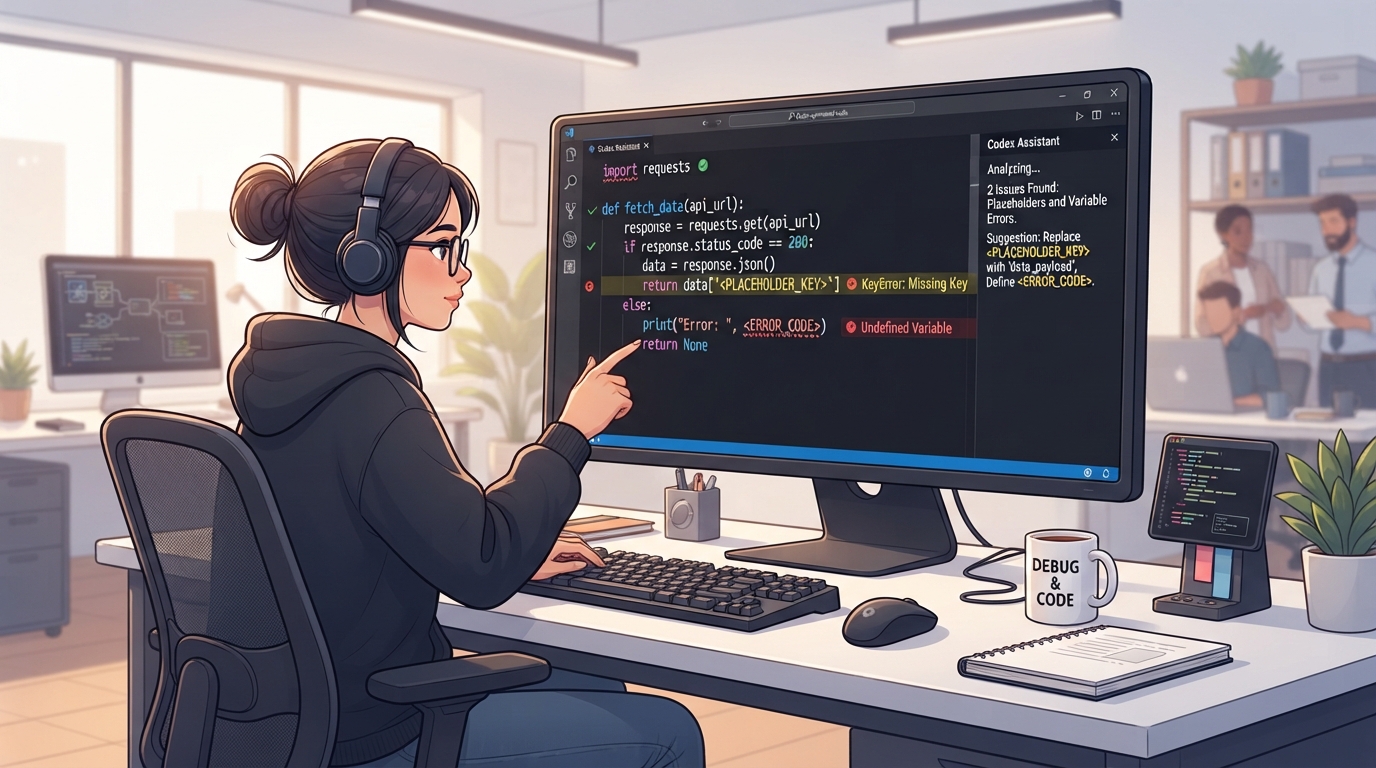
Why Codex-Generated Code Faces Issues
Codex, developed by OpenAI, is an advanced AI coding tool that many developers turn to for rapid code generation. However, the very nature of AI-generated code means it often comes with inherent issues.
One of the primary reasons is the occurrence of placeholder logic—snippets that serve as stand-ins for more complex functions that require human intervention. Codex may insert these placeholders when it can't fully comprehend the task's complexity or lacks the necessary context to complete the logic.
As a result, users often find that their applications don't perform as expected, leading to confusion and frustration.
Another contributing factor is the prevalence of missing implementations. Codex is exceptionally powerful at generating boilerplate and standard code segments, but it struggles with niche, nuanced, or highly customized requirements. This gap occurs because Codex relies on a vast dataset of existing code to predict what should come next.
If the task deviates significantly from common patterns, Codex might leave important parts undone, assuming the user will fill in the blanks themselves. This partial completion is a frequent source of 'codex-generated code not working' scenarios.
Finally, the collaborative nature of AI and human developers can create issues when expectations are not aligned. Developers might expect Codex to understand and execute tasks with the same precision as a seasoned engineer.
However, Codex lacks the human ability to interpret context deeply or apply real-world logic flexibly, leading to results that can be unexpectedly simplistic or erroneous. Understanding these limitations is crucial for setting realistic expectations and effectively troubleshooting issues when they arise.
Initial Safe Checks for Non-Working Code
Before diving into deep diagnostics, performing some initial safe checks can often identify straightforward issues that might be causing your Codex-generated code to malfunction. These checks are non-destructive and can save significant time if they reveal the problem early on.
Such a proactive approach ensures that you're addressing potential misconfigurations or oversights that are simple to rectify. By systematically verifying these elements, you can often pinpoint the source of the issue without delving into more complex troubleshooting procedures.
The first step involves confirming that all environment variables are correctly defined and accessible. Often, issues arise from typos or incorrect values in these variables, which can disrupt code execution. Additionally, checking for syntax errors or warnings highlighted by your integrated development environment (IDE) is crucial.
These warnings can give immediate insights into potential problems that need to be addressed before deeper issues can be understood.
Ensuring all dependencies are installed and up to date is another critical aspect. Missing or outdated libraries can lead to unexpected behaviors in the code. Moreover, verifying that API keys and endpoints are correctly specified ensures that your application can communicate with external services as intended.
Don't forget to review application logs for any explicit error messages that can guide you towards the exact location of the issue.
By testing small sections of code independently, you can isolate bugs more effectively, and ensuring that your code editor or project settings are correctly configured can prevent numerous issues related to language or framework discrepancies.
- Confirm that all environment variables are correctly defined and accessible.
- Check for any syntax errors or warnings highlighted in your IDE.
- Ensure that all dependencies are installed and up to date.
- Verify that API keys and endpoints are correctly specified.
- Look at the application logs for any explicit error messages.
- Test small sections of code independently to isolate bugs.
- Ensure that your code editor or project settings are correctly configured for the language or framework in use.
Common Scenarios Where Codex Code Fails
Codex-generated code often runs into problems within specific environments or scenarios. One common scenario is when integrating with third-party APIs. Codex might not fully understand the intricacies of certain API protocols, leading to incomplete or erroneous calls that can cause the application to fail.
Additionally, if the API documentation is not up-to-date or lacks sufficient detail, Codex may not generate the correct integration code, causing further complications. This is particularly problematic when API calls require specific authentication methods or data formatting that Codex might not automatically incorporate.
Another frequent scenario involves handling complex business logic. Codex excels in generating straightforward code but can fall short when tasked with implementing intricate business rules. This is particularly true when the logic requires conditional flows or multiple nested operations that AI struggles to conceptualize without explicit instructions.
Consequently, the final output might include errors or omissions that hinder functionality. Developers often need to manually intervene to refine the logic and ensure that all edge cases are considered and handled appropriately.
In situations where the application involves a sophisticated user interface, Codex might not accurately predict user interactions or dynamic content requirements. This is because Codex's training data may not encompass the latest UI trends or specific use cases, leading to design implementations that fall short of expectations.
Such gaps are particularly evident in applications where user experience is a key component of success, making it essential to manually refine and iterate the UI components. The lack of real-time feedback and adaptive design logic in Codex's output can result in interfaces that don't meet modern standards for interactivity and responsiveness.
Understanding the Root Causes of Failure
Integration Issues
Integration issues are one of the most prevalent causes of Codex-generated code failures. These occur when the generated code cannot effectively communicate with external services or components. Often, Codex may generate code that appears correct but lacks nuance in handling service-specific requirements or authentication mechanisms.
For example, a simple oversight in handling token refresh logic can lead to persistent errors or service unavailability. Such issues are exacerbated when dealing with microservices architectures or APIs requiring complex transaction sequences.
Moreover, Codex's dependency on existing patterns means it might not account for the latest updates in third-party services. This can lead to deprecated methods being used or incorrect assumptions about API behavior. Without up-to-date information, Codex might generate code that works in isolation but fails when integrated into a broader system.
Ensuring that all interactions are carefully reviewed and tested can help mitigate these types of failures, highlighting the importance of manual oversight in the integration process.
Incomplete Logic
Incomplete logic arises when Codex provides a skeleton of the desired functionality without filling in the critical details. This is particularly common in iterative processes or recursive functions, where the AI might generate an initial loop or condition but omit edge cases or termination criteria.
This incompleteness can cause infinite loops or unexpected behavior, requiring manual intervention to resolve. Developers must often supplement the generated code with additional conditions or error handling to ensure robustness.
Additionally, Codex may not fully understand the intended purpose of complex algorithms or data manipulations. This can result in logic that superficially resembles the desired outcome but lacks depth and precision.
In scenarios where precision and accuracy are paramount, such as financial calculations or data analytics, the absence of detailed logic can lead to significant errors. Therefore, a thorough review and augmentation of the AI-generated code are often necessary to achieve the desired level of functionality and reliability.
Context Misinterpretation
Context misinterpretation happens when Codex misjudges the intent or scope of a task, leading to code that doesn't align with the project's goals. This can occur due to insufficient prompt information or ambiguous instructions, which result in Codex making incorrect assumptions about variable relationships or data handling.
Such misinterpretations necessitate a careful review and restructuring of the generated code to ensure alignment with the original requirements.
Additionally, the AI's inability to infer unstated project nuances or historical project decisions can lead to contextually inappropriate implementations. Codex's reliance on pattern recognition limits its capacity to adapt to unique project constraints without explicit guidance. Developers need to provide comprehensive prompts and continuously evaluate the generated output's fidelity to project specifications.
Regular feedback loops with the AI tool can help align its output more closely with the intended application context, minimizing the risk of contextually flawed code.
Steps to Safely Investigate Codex Code Issues
When dealing with Codex code issues, it's important to methodically investigate the problem without risking further complications. Begin by backing up your current codebase to prevent accidental data loss during troubleshooting. Once safeguarded, you can proceed with a structured investigation.
This ensures that any changes or tests do not compromise the stability of your existing code.
Start by isolating the problematic code segment and replicate the issue in a controlled environment. This isolation helps in pinpointing the precise cause without the interference of additional variables. Utilize debugging tools to step through the code and observe variable states and outputs.
This step-by-step analysis can reveal discrepancies between expected and actual behavior, providing clues to the underlying problem.
Check if the problem persists with different inputs or environmental conditions. Sometimes, issues are data-sensitive and may not manifest under all circumstances. Reviewing Codex-generated comments for insights or clues left by the AI can offer hints about the intended functionality.
Additionally, experimenting with alternative prompts to generate variations of the code allows you to compare outcomes and potentially identify more effective solutions.
- Start by isolating the problematic code segment and replicate the issue in a controlled environment.
- Use debugging tools to step through the code and observe variable states and outputs.
- Check if the problem persists with different inputs or environmental conditions.
- Review Codex-generated comments for insights or clues left by the AI.
- Experiment with alternative prompts to generate variations of the code and compare outcomes.
Why Codex May Struggle with Certain Tasks
Codex's limitations often become apparent when it encounters complex or context-rich tasks. One primary struggle is with tasks that require deep understanding and application of domain-specific knowledge. Codex can generate syntactically correct code but may lack the depth needed to apply industry-specific standards or practices effectively.
This can lead to code that, while functional, doesn't adhere to best practices or expected patterns within a particular domain. Such deviations can result in non-compliant code that fails to meet regulatory or operational standards, requiring additional scrutiny and revision.
Another area of difficulty is in managing tasks that demand intricate logic structures. Codex might generate the initial framework of such logic but falter in handling edge cases or complex dependencies.
This limitation is due to Codex's reliance on pattern recognition from its training data, which might not capture the full spectrum of nuanced logical flow needed for certain tasks. As a result, developers need to supplement the logic with detailed conditions and error-handling mechanisms to ensure comprehensive functionality.
Finally, Codex may struggle when tasked with creating highly interactive or dynamic user experiences. Modern applications often require sophisticated handling of asynchronous operations and real-time updates, which Codex might not fully grasp.
This can result in code that handles basic interactions but fails under more demanding scenarios, necessitating additional human intervention to achieve the desired functionality. Developers often need to integrate advanced libraries or frameworks manually to meet high interactivity and responsiveness standards, ensuring that the application performs optimally in real-world environments.
When It's Best to Seek Professional Help
Recognizing when to escalate Codex-generated code issues to a professional is crucial to avoid prolonged frustration and inefficiency. If initial troubleshooting efforts do not yield results and the problem persists despite various attempts, it may be time to consult an expert.
Persistent errors, especially those involving complex logic or multi-component integrations, often require a seasoned eye to diagnose and fix effectively. Professional developers can offer insights and strategies that might not be immediately apparent to those less familiar with coding intricacies.
Another signal that professional help is needed is when the cost of time spent on troubleshooting outweighs the potential benefits of resolving the issue independently. For developers on tight deadlines or with limited technical expertise, seeking external assistance can provide the necessary expertise and insight to address the problem more swiftly and accurately.
Professionals bring a wealth of experience and can often identify solutions that save both time and resources.
Lastly, if the issue is critical and impacts the application's core functionality or user experience, bringing in a professional ensures that the solution is both robust and scalable.
Expert intervention can prevent future occurrences and provide a learning opportunity, enhancing the overall development process and equipping teams with better strategies for working with AI-generated code in the future. This strategic approach not only resolves current issues but also builds resilience against potential future challenges, fostering a more efficient and effective development environment.
Frequently asked questions
Why does Codex leave placeholders in my code?
- Codex may leave placeholders when it encounters complex logic or lacks sufficient context to generate complete code. These placeholders signal areas where human intervention is needed to specify the desired functionality.
How can I tell if Codex code is incomplete?
- Incomplete Codex-generated code typically manifests as missing logic, errors during execution, or placeholders within the code. Reviewing the code for these signs can help identify areas needing further development or clarification.
What non-destructive checks can I perform on Codex code?
- To safely check Codex code, verify environment variables, ensure all dependencies are installed, review error logs, and test code segments independently. These non-destructive actions can reveal common issues without altering the codebase.
Why doesn't Codex handle certain tasks well?
- Codex struggles with tasks requiring domain-specific knowledge, complex logic, or dynamic user interactions. These tasks exceed Codex's current capacity for context understanding and nuanced decision-making, leading to suboptimal code output.
When should I seek expert help for Codex code issues?
- Seek expert help when troubleshooting fails to resolve issues, when time constraints limit your ability to investigate, or when the problem critically affects application performance or user experience. Professionals can provide the expertise needed to address such challenges effectively.