AI-Generated Code Has Too Many Errors? Here's Why
Every fix seems to create two new errors. Here's why AI-generated code spirals and how to stop the loop.
· BuildRescue Engineering
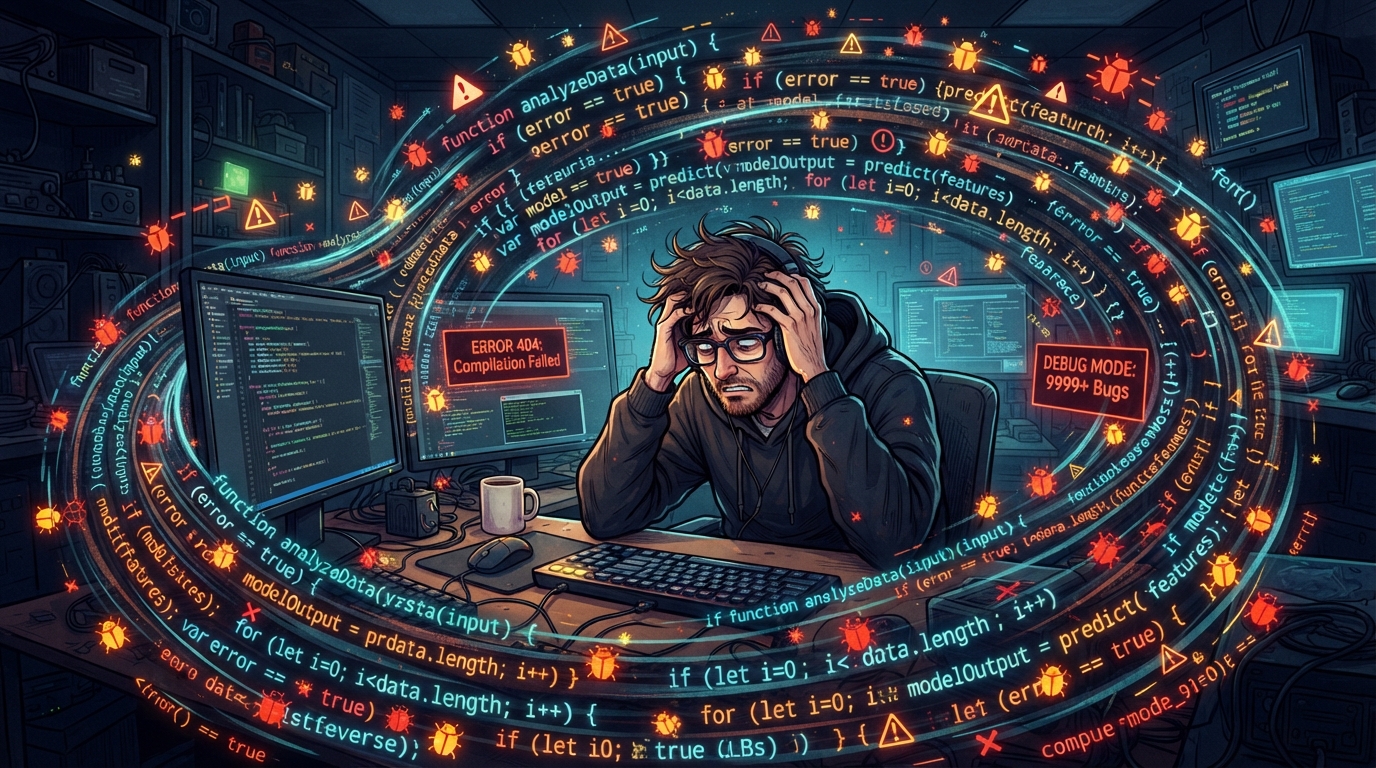
Why AI Code Spirals Into Errors
AI-generated code often spirals into a cascade of errors due to inherent limitations in how these tools comprehend and apply coding logic. Initially, AI tools like Cursor and Copilot might seem incredibly effective at generating functional snippets of code.
However, the underlying challenge is that these systems rely heavily on patterns from existing codebases, which can lead to the propagation of errors if the initial inputs are flawed.
A small misstep, like an incorrect variable type or a missing method, can trigger a domino effect, where one error leads to another, exponentially increasing the complexity of debugging.
Moreover, AI-generated code can struggle to handle the nuances of specific project requirements, especially when dealing with specialized or atypical use cases. This lack of contextual understanding means that AI tools might insert code that is syntactically correct but semantically erroneous, missing the intent behind the function.
As the AI iteratively builds on its own output, these small misalignments accumulate, resulting in a codebase that is stable in structure but shaky in functionality. This is particularly problematic in projects where rapid prototyping is essential, as the time saved in initial development is often lost in prolonged debugging cycles.
Another contributing factor is the AI's dependency on its training data. If the training corpus included erroneous or suboptimal coding practices, the AI might inadvertently perpetuate these mistakes.
This is further compounded by the context limitations inherent in AI models, which often lack the broader architectural view needed to make complex, holistic decisions about code quality.
As a result, developers may face an overwhelming number of issues that seem to multiply every time they attempt a fix, creating a frustrating loop of trial and error.
The iterative nature of AI means that errors can become deeply embedded into the code, complicating efforts to identify the root cause and disentangle the web of issues.
Quick Error Checks Before Panicking
Before diving into a full-scale panic, there are several non-destructive checks you can perform to potentially identify the source of errors in your AI-generated code. These quick assessments are designed to help you focus on the most likely culprits without the risk of making things worse.
The goal is not to solve the deeper issues but to rule out common, easily fixable problems that could be causing the errors to pile up. By systematically verifying these aspects, you can often spot simple mistakes that might have been overlooked in the initial rush of deploying AI-generated code.
- Verify that all environment variables are set correctly in the configuration files.
- Check if all dependencies listed in your package manager are installed and up to date.
- Ensure that any API keys or secrets are correctly configured and not expired.
- Look at the first error message in your logs; subsequent errors might be side effects.
- Review the AI-generated code for any syntax errors, which are often highlighted by IDEs.
- Compare the AI-generated code snippet with known working examples to spot deviations.
- Confirm that your code is executing in the intended runtime environment or server.
Common Tools and Scenarios Prone to Errors
Certain AI coding tools and development scenarios are more prone to generating error-laden code than others. Tools such as Cursor, Claude Code, and Bolt are designed to assist with rapid development by quickly generating code based on prompts.
However, the output from these tools can become problematic when used in environments that have complex, non-standard requirements. For instance, applications that require precise API integrations or custom-built logic are at a higher risk of encountering errors due to the AI's generalized approach.
This is particularly true when these tools are used in areas they weren't specifically designed for, leading to integration mismatches and unexpected behaviors.
Projects built on traditional stacks using AI tools for augmentation also face unique challenges. The AI's lack of deep understanding of the specific architecture or business logic can lead to integration issues, where the AI-generated code doesn't perfectly align with the existing codebase.
This misalignment is often visible in scenarios where developers are using AI to add new features to legacy systems or to refactor existing code. Such setups can result in an increased frequency of errors, as the AI might inadvertently introduce breaking changes.
The complexity of these environments can also exacerbate the AI's limitations, making it difficult to maintain cohesion across the entire project.
Furthermore, AI-generated code is especially error-prone in collaborative environments where multiple developers rely on the same AI tool for different parts of the project. The inconsistency in coding style and logic can create a patchwork codebase, where seams between different developers' and AI's output lead to unexpected behavior and errors.
Identifying these risk factors early can help teams better manage their reliance on AI-generated code and plan for potential troubleshooting needs. By recognizing the scenarios where AI tools are most likely to falter, developers can take proactive measures to mitigate these issues before they escalate.
Understanding Typical Error Causes
To effectively address the issue of AI-generated code errors, it's crucial to understand the typical causes behind these mishaps. A frequent problem stems from the way AI models handle context. AI tools have a limited context window within which they operate, meaning they can only 'see' a small part of the code at a time.
This limitation can lead to errors when the AI is unable to access enough information to make accurate decisions about code structure or logic. Without the ability to consider the entire project or the broader business processes, AI may generate code that is technically correct yet contextually inappropriate.
Another common cause of errors is the transformation of logic. AI models excel at replicating patterns but often fail to comprehend the underlying logic of a code snippet.
For example, when tasked with transforming a piece of code from one framework to another, an AI might produce code that is superficially correct but functionally flawed, missing critical nuances like library-specific optimizations or architectural patterns.
This lack of deeper understanding can result in code that appears correct at a glance but breaks under more complex conditions. Developers may find themselves spending significant time reworking AI-generated solutions to fit the intended design and functionality.
AI models also struggle with error recognition. When an AI tool generates code, it doesn't inherently understand when something is incorrect, unless explicitly trained to recognize specific error patterns. Even then, it might not be able to identify subtle bugs, such as off-by-one errors or memory mismanagement issues.
These kinds of problems can remain hidden until they manifest as significant failures in the application, leading developers down a rabbit hole of debugging efforts. Without a human's intuitive grasp of the software's logic and purpose, AI can perpetuate these errors, making it challenging to achieve a robust, error-free codebase.
Beyond these technical issues, a common error cause is the inherent bias present in the training data used by AI models. If the AI has been trained on flawed examples or biased datasets, the code it generates may reflect these deficiencies.
This can manifest as structural inefficiencies or adherence to outdated practices, compounding the challenges developers face when relying on AI-generated code. Such biases can impact not only the quality but also the inclusivity and fairness of the applications, necessitating careful review and adjustment by human developers.
Context Limitations
AI tools operate within a constrained context window, which limits their ability to consider the entirety of your codebase during generation. This results in outputs that may not fully integrate with existing structures or anticipate future requirements.
Developers often find that these limitations lead to repeated errors, as the AI continually generates code without the full picture necessary for accuracy. The inability to 'see' beyond the immediate code snippet can cause the AI to miss important dependencies or interactions, leading to incomplete or incorrect implementations.
Logic Transformation Errors
When AI attempts to translate logic between different frameworks or paradigms, it frequently fails to capture the subtleties required for a seamless transition. This can result in code that appears syntactically correct but is semantically flawed, leading to unexpected behaviors during execution.
The lack of an intuitive understanding of how different systems operate can cause AI to produce code that doesn't adhere to best practices or optimize for performance, requiring further intervention by developers to correct these oversights.
Error Recognition Challenges
AI models are not inherently equipped to recognize errors in the code they produce. Although some models are trained to identify specific issues, their ability to detect subtle or complex bugs remains limited. This can lead to prolonged debugging as these errors only become apparent under certain conditions or loads.
Without the capacity to intuitively assess the code's integrity, AI-generated solutions can introduce lingering issues that undermine reliability and efficiency.
Training Data Bias
The quality and bias of the training data heavily influence the errors present in AI-generated code. If trained on suboptimal examples, AI tools are likely to perpetuate these mistakes, embedding them into new code and complicating the debugging process for developers.
This bias can skew the AI's outputs toward certain styles or solutions that may not be the most efficient or appropriate, necessitating thorough reviews and adjustments by experienced programmers.
Safe Steps to Isolate Issue Causes
When troubleshooting AI-generated code errors, taking safe, methodical steps to isolate the root cause can prevent further complications. Start by ensuring you have a comprehensive backup of your current codebase. This precaution ensures that any changes you make in your investigation won't overwrite or delete working segments of your application.
By securing a backup, you safeguard your project against inadvertent disruptions that might arise from testing various fixes.
Begin your isolation process by examining the first error message in your logs, as subsequent issues often stem from this initial fault. Check the configuration settings, such as environment variables and API keys, to ensure they are correctly set and not expired.
This step is crucial, especially if you are transitioning between development stages or environments where these settings may vary. Misconfigured settings are a common source of errors and can often be remedied quickly, preventing a cascade of further issues.
Proceed by cross-referencing AI-generated snippets with known working code examples. Look for discrepancies in logic or syntax that might account for the errors you're experiencing. It can be helpful to run these snippets in isolation in a controlled environment to identify faults without affecting the main application.
By isolating and testing individual components, you can systematically rule out potential causes and pinpoint the exact source of the problem.
Finally, keep track of which changes or tests you perform, documenting the outcomes to build a clearer picture of what has been tried and what remains. This record-keeping is invaluable if an expert later needs to step in, as it provides a concise history of the troubleshooting steps already taken.
A detailed log of your attempts can streamline the diagnostic process for others, facilitating faster resolutions.
- Ensure you have a full backup of your codebase before making changes.
- Check the first error message in your logs to identify the root issue.
- Verify all configuration settings, especially environment variables and API keys.
- Compare AI-generated snippets with working examples to spot differences.
- Document all troubleshooting steps and their outcomes for future reference.
Why AI Struggles to Fix Its Own Mistakes
AI tools are notoriously poor at resolving their own mistakes, primarily due to their lack of context awareness and error recognition capabilities. Unlike a human developer who can interpret the broader scope of a project, AI operates within the confines of its training data and the context window it was provided.
This limitation means that once an error is introduced, the AI is often unable to recognize or correct it without further human intervention. The AI's inability to understand the purpose and interconnections of different code segments hampers its effectiveness in rectifying these issues independently.
The iterative nature of AI development further complicates matters. As AI generates and refines code, it does so based on its previous outputs, which can lead to a reinforcement of errors.
If a mistake is present in an early version of the code, it may propagate through subsequent iterations, making it harder to eradicate without resetting the context and revisiting the overall logic. This self-reinforcing cycle can entrench errors deep within the codebase, requiring external input to break the loop and implement accurate corrections.
Additionally, AI lacks the ability to reason through complex problem-solving scenarios. While it can replicate patterns and suggest code alterations, it does not grasp the nuances needed to make informed decisions about structural changes or optimizations.
This shortcoming becomes evident when AI encounters errors that require a deep understanding of the application's architecture or the intent behind a specific feature. Without the cognitive abilities to analyze and innovate, AI remains limited in its problem-solving capabilities, often needing human insights to navigate intricate challenges.
When to Consult a BuildRescue Expert
Knowing when to seek expert help is crucial when dealing with persistent AI-generated code errors. If you've exhausted the safe steps and continue encountering issues, it's time to consider reaching out to a professional service like BuildRescue.
Our experts specialize in diagnosing and resolving complex code problems that AI tools struggle with, ensuring that your project remains on track and functional. Professional intervention can provide the necessary expertise to unravel deeply embedded errors and restore functionality efficiently.
Indicators that it's time to call in expert help include repeated errors that don't resolve despite addressing apparent causes, or when the errors lead to significant downtime or affect critical application functions. These scenarios can have substantial implications for project timelines and user experience, making it essential to resolve them swiftly.
Engaging experts can prevent prolonged disruptions and maintain the integrity and reliability of your application.
Moreover, if the errors are tied to areas of your code that involve sensitive operations, such as database transactions or authentication processes, professional intervention can help prevent security vulnerabilities or data loss.
Finally, if the AI-generated errors are interfering with your team's productivity or you're facing pressure to deliver on tight deadlines, consulting with BuildRescue can provide the support needed to navigate these challenges effectively. Our expertise allows us to offer tailored solutions that address the unique demands of your project, ensuring a seamless resolution process.
Frequently asked questions
What causes AI-generated code to have so many errors?
- AI-generated code often accumulates errors due to limitations in context awareness, pattern comprehension, and logic transformation. These tools may propagate small mistakes into larger issues, especially if the initial inputs are flawed or the AI lacks context to make informed decisions.
How can I quickly check for errors in AI code?
- You can quickly check for errors by verifying environment variables, ensuring dependencies are up to date, examining API keys, and reviewing log error messages. These steps help identify common non-destructive issues that might be affecting your code.
Why can't AI fix its own mistakes?
- AI tools struggle to fix their own mistakes due to a lack of context awareness and error recognition capabilities. They rely on limited training data and context windows, which prevent them from understanding the broader scope needed to correct complex errors.
When should I stop troubleshooting and call an expert?
- Consider calling an expert if your troubleshooting steps don't resolve the issues, or if errors lead to significant downtime or affect critical functions. Professional help is also advised when errors involve sensitive operations or impact your team's productivity.
What are typical errors in AI-generated code?
- Typical errors in AI-generated code include syntax mistakes, incorrect logic transformations, context limitations, and biases from training data. These often lead to functional mismatches and integration issues within your application.