Why AI-Generated Apps Fail in Production (and How to Fix It)
AI tools get you a working demo fast, then production reveals everything they skipped. Here are the failure patterns and how to fix each one.
· BuildRescue Engineering
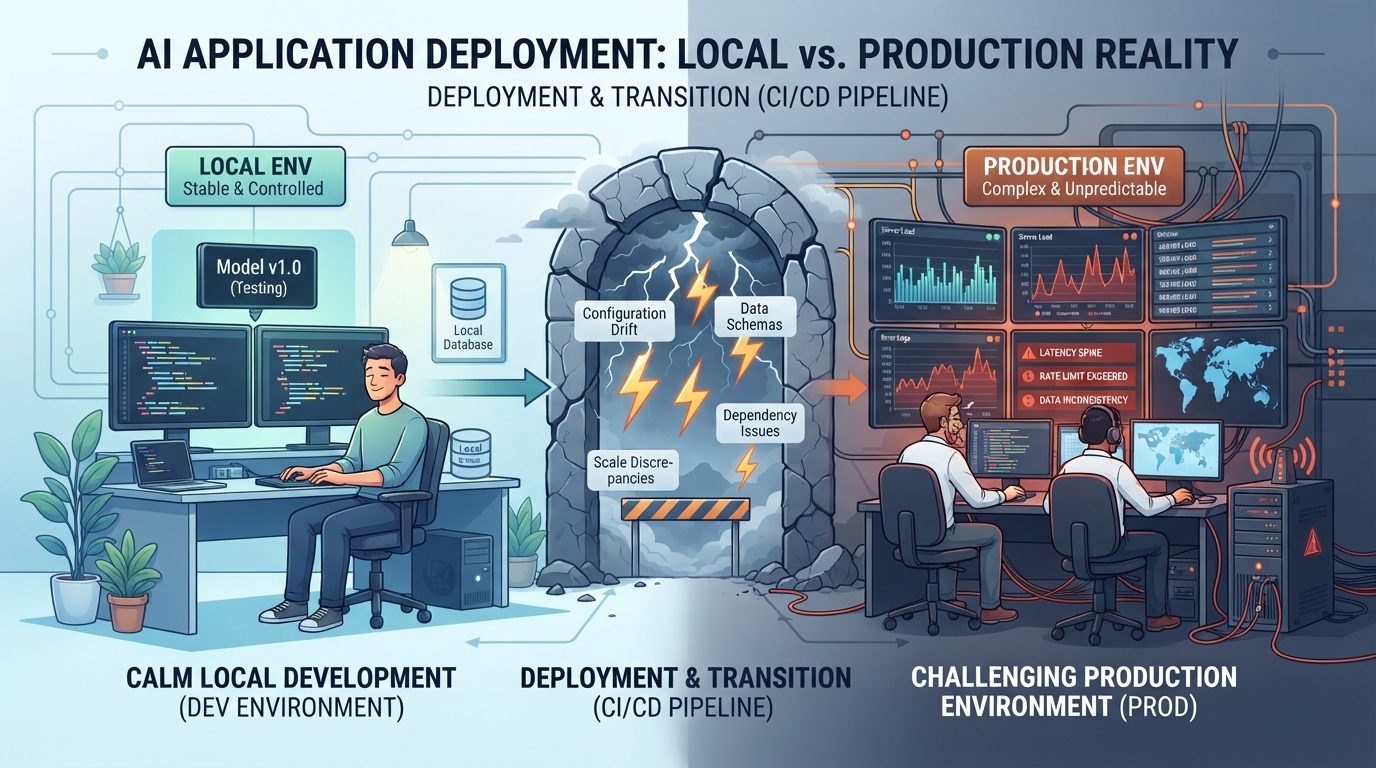
Unmasking the Hidden Flaws: From Local Success to Production Failure
AI-generated apps often shine in local environments, appearing polished and ready for deployment. However, this success can mask underlying flaws that only become apparent when these apps transition to production. The shift from a controlled local setting to a live production environment introduces variables that AI-generated code might not be prepared to handle.
Differences in server configurations, network conditions, and scale demands can reveal gaps that were hidden during the initial development phase.
One key issue is the discrepancy in how AI tools optimize code for local testing rather than robust production. These tools often focus on generating plausible code quickly, which may lack the necessary rigor for real-world conditions.
As a consequence, what seemed like a fully functional application in a test setting might crumble under the pressures of live user demands and varied operational contexts.
The Top Culprits Behind AI App Failures in Production
Once AI-generated apps hit production, several common failure points tend to emerge. Environment mismatches are a frequent issue, where differences in software versions or configurations between local and production setups cause unexpected behavior.
Unhandled exceptions, which are often overlooked in development, can lead to crashes or degraded performance when an app faces real-world inputs it wasn't explicitly coded to manage.
Another significant problem is the lack of error handling and logging, which are critical for diagnosing issues in a production environment. Without these mechanisms, tracking down the source of a failure becomes a daunting task, leaving developers in the dark.
- Environment mismatches leading to unexpected behavior
- Unhandled exceptions causing crashes
- Inadequate error handling and logging mechanisms
- Scalability issues under increased load
- Security vulnerabilities not addressed in AI-generated code
Adapting AI Code for Robust Production Readiness
Transforming AI-generated code into a production-ready state requires specific adaptations. One fundamental step is ensuring environment parity between local and production setups. This involves matching software versions and configurations as closely as possible to prevent discrepancies.
Incorporating comprehensive error handling and rigorous testing is also crucial—as is setting up detailed logging to capture and examine unexpected events.
Performance optimization is another essential aspect. AI-generated code often lacks the efficiency needed for handling high user volumes, making it necessary to refine algorithms and database queries to ensure scalability. Additionally, integrating security measures to protect against potential vulnerabilities is vital to safeguard both the application and its users.
- Ensure environment parity between local and production
- Integrate comprehensive error handling and logging
- Optimize algorithms for performance and scalability
- Conduct rigorous testing to catch potential issues
- Implement security protocols to guard against vulnerabilities
Practical Fixes: Bridging Development Gaps with Real World Solutions
Bridging the gap between AI-generated code and production standards involves addressing specific coding and deployment challenges head-on. One effective strategy is to use staging environments that mimic production conditions as closely as possible. This allows for testing under realistic conditions before final deployment.
Refining code for better error management and implementing robust monitoring tools can help catch issues early. Additionally, automating deployment processes can reduce the risk of human error and ensure consistent configurations across environments. By applying these practical solutions, the transition from development to deployment becomes smoother and more reliable.
- Use staging environments that mimic production
- Enhance error management and monitoring tools
- Automate deployment processes for consistency
- Regularly update and patch software components
- Optimize resource allocation for scalability
Frequently asked questions
How do AI-generated apps differ in local and production environments?
- AI-generated apps often work well locally due to controlled conditions, but production environments introduce variables like server configurations and user load, which can reveal hidden flaws in the code.
What are common AI coding issues leading to production failures?
- Common issues include environment mismatches, unhandled exceptions, insufficient error handling, and scalability challenges that are not apparent during local testing.
How can AI-generated apps be optimized for production?
- Optimization involves ensuring environment parity, integrating error handling and logging, refining code for performance, and implementing security protocols to address potential vulnerabilities.
What are practical steps to fix deployment issues in AI apps?
- Practical steps include using staging environments, enhancing error management, automating deployments, and regularly updating software components to ensure smooth transitions into production.
Why do AI-generated apps need additional refinement post-development?
- AI-generated apps need further refinement because initial code is often optimized for plausible rather than robust solutions, requiring adjustments to handle real-world conditions and user demands effectively.