Database Migrations for Beginners
Migrations let you change your database safely without losing data. Here is what they are and how to start.
· BuildRescue Engineering
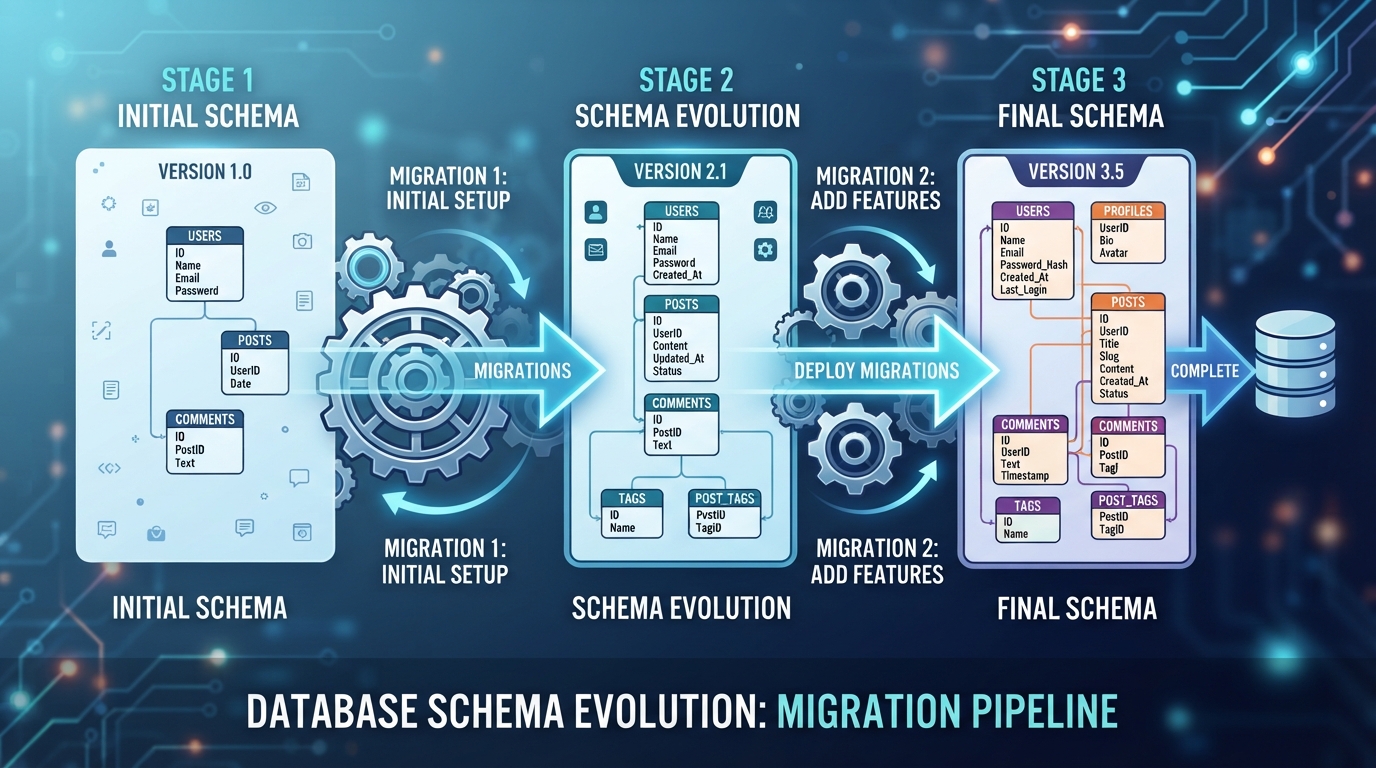
Demystifying Database Migrations
Database migrations are vital operations that allow developers to update their database schema incrementally, ensuring that applications remain stable and data integrity is maintained throughout the process. Without migrations, even minor changes to a database can lead to data loss or application downtime.
Migrations act as a bridge between the past and future versions of your database structure, managing schema changes safely and consistently.
Common Migration Scenarios in AI-Built Apps
AI-generated applications often need database migrations as they evolve from prototypes to production-ready solutions. A typical scenario involves adding a new feature, which necessitates changes to the database schema. Without migrations, these changes can break existing functionality or compromise data integrity. Another common issue is poorly documented changes that confuse teams and hinder collaboration.
Moreover, AI-built apps may initially overlook the need for migrations due to the rapid prototyping focus of AI tools, leading to technical debt and future challenges.
- Adding new features requiring schema changes
- Resolving technical debt from initial development phases
- Ensuring consistent data integrity across updates
- Managing schema versioning for collaboration
- Handling database scaling needs
Step-by-Step Guide to Implementing Migrations
Implementing database migrations begins with choosing the right tools. Popular options include Flyway, Liquibase, and Django migrations, each offering robust support for various databases. After selecting a tool, the next step involves setting up a migration workflow that incorporates version control and automated testing.
Begin by scripting the initial migration, which captures the current state of your database. Follow this by creating incremental scripts for each subsequent change. Ensure that each script is thoroughly tested before deployment to avoid disruptions.
- Select a migration tool: Flyway, Liquibase, or Django
- Establish a version-controlled migration workflow
- Script initial migration to capture current database state
- Develop incremental scripts for each database change
- Test each migration script thoroughly before deployment
Avoiding Pitfalls: Safe Migration Practices
Conducting safe database migrations requires meticulous planning and execution. Start by backing up your data to prevent loss in case of errors. Utilize a staging environment to test migrations thoroughly before applying them to your production database. Also, implement rollback procedures to swiftly undo changes if necessary.
These practices will safeguard your application’s data and ensure a smooth transition during updates.
Future-Proofing Your Database Architecture
To future-proof your database architecture, plan for ongoing migrations as part of your development lifecycle. This proactive approach allows for seamless adaptation to new features and evolving data models. By regularly reviewing and updating your migration strategy, your database remains agile and ready to support technological advancements and business growth.
Frequently asked questions
What is a database migration and why is it important?
- A database migration involves updating the database schema in a controlled manner, which is crucial for maintaining data integrity and application stability as changes are implemented.
How do I start with database migrations in my project?
- Start by choosing a migration tool that fits your database needs. Establish a migration workflow with version control and automated testing. Begin scripting changes with an initial migration that reflects your current database state.
What are the risks of not using migrations?
- Without migrations, making database changes can lead to data corruption, application downtime, and increased difficulty in managing schema changes over time. Untracked changes can also hinder collaboration and future development.
How can migrations prevent data loss?
- Migrations allow for controlled schema updates, ensuring data consistency and integrity. By testing changes in a staging environment and employing rollback procedures, data loss risks are significantly reduced.
What tools support database migrations?
- Several tools support database migrations, including Flyway, Liquibase, and Django migrations. These tools offer comprehensive features for managing and automating schema changes across different databases.