Claude Code Deployment Failed? What to Check
The build passes locally, then the deploy dies. Here's why Claude Code apps fail in the cloud and a safe checklist before you call for help.
· BuildRescue Engineering
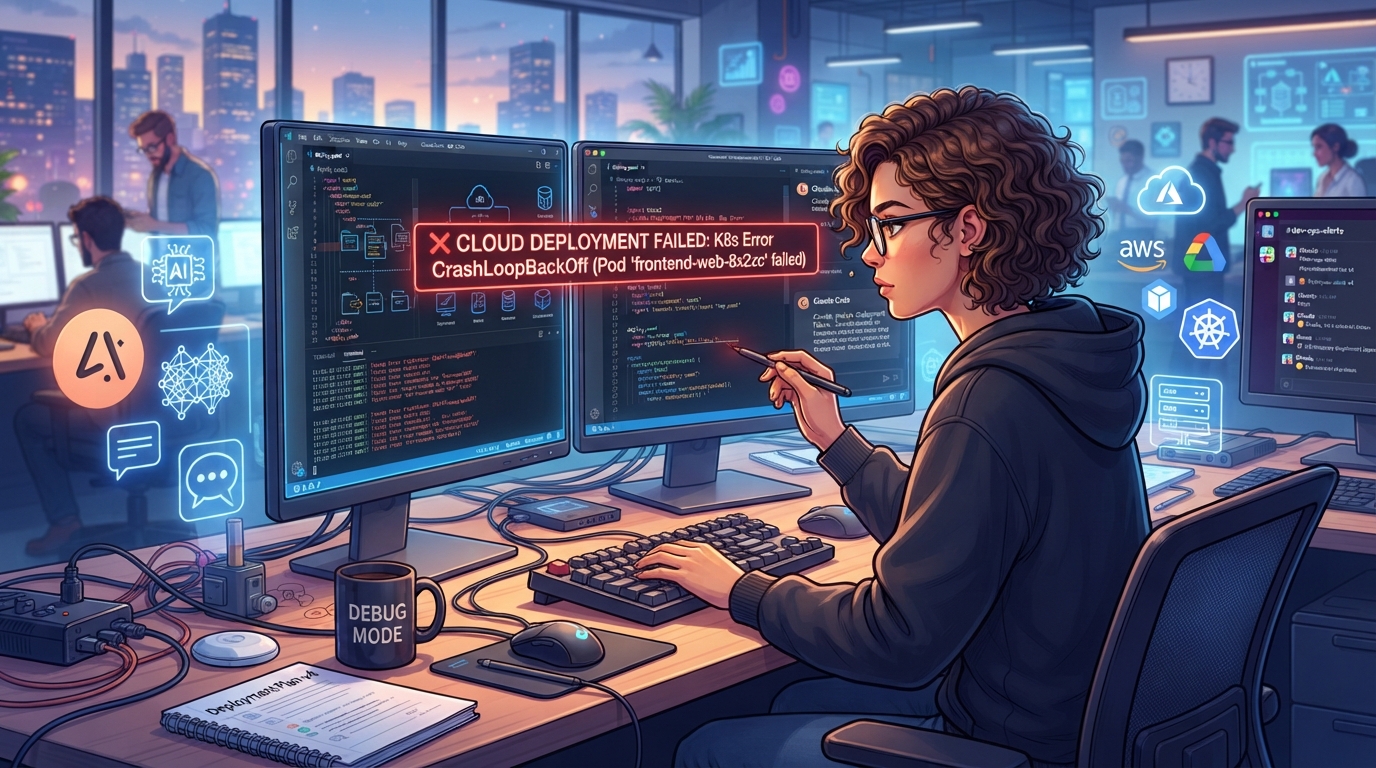
Understanding Claude Code Deployment Failures
Deployment failures in Claude Code are a common roadblock for many developers, especially those relying on AI coding tools. These failures often stem from the complex interaction between AI-generated code and the cloud environment, where subtle variances can lead to significant issues.
Unlike traditional development workflows, AI coding platforms like Claude Code introduce unique challenges due to their reliance on automated code generation, which may not fully account for the nuances of cloud deployment. This can result in configurations that work locally but break when subjected to the constraints of a live server.
The symptoms of a Claude Code deployment failure often manifest as cryptic error messages, incomplete deployments, or apps that simply do not function as expected once deployed.
These issues can be exacerbated by the cloud environments that host the applications, which may have specific requirements or limitations that were not addressed during the AI-driven development process. Understanding these discrepancies is crucial for troubleshooting effectively and minimizing downtime. The ability to translate local successes into cloud stability is often where the challenge lies.
At the core of these failures lies the disparity between local development conditions and the cloud's operational environment. The AI may generate code that works perfectly on a developer's machine but fails to translate accurately to the cloud due to differences in dependencies, environment variables, and API integrations.
This gap highlights the importance of a thorough understanding of both the AI's capabilities and the cloud environment's demands. Anticipating potential issues before they occur can save a significant amount of time and effort, enabling a smoother transition from development to production.
Essential Checks Before You Panic
Before diving into deep troubleshooting, it's wise to perform some quick and non-destructive checks. These steps can help identify and resolve common issues that might be causing your Claude Code deployment to fail. Often, deployment failures can stem from simple oversights or misconfigurations that can be swiftly addressed with a careful review of the setup.
Performing these checks can save you from unnecessary panic and stress, providing a clearer picture of what might be going wrong.
These checks serve a dual purpose: they not only help in pinpointing the issue but also prevent accidental introduction of new errors while troubleshooting. Ensuring that your environment is correctly configured and your resources are fully accessible is essential for a stable deployment.
By focusing on these preliminary steps, you can often resolve minor issues that may otherwise escalate into major roadblocks if left unchecked. This approach promotes a more strategic troubleshooting process.
Furthermore, by compiling a checklist focused on the most common pitfalls in deployment, you create a structured framework for addressing issues. This approach minimizes the randomness of troubleshooting and maximizes the efficiency of problem-solving. Remember, the goal is to methodically eliminate potential causes of failure, thereby isolating the primary issue more effectively.
This preparatory step is invaluable for anyone looking to streamline their deployment process and ensure a seamless transition to production.
- Ensure all environment variables are correctly set and match exactly with what's required.
- Verify that API keys are valid and have the necessary permissions.
- Check the deployment logs for any obvious error messages or warnings.
- Confirm that all dependencies are installed and compatible with the cloud environment.
- Re-examine your build and deploy scripts for any overlooked syntax issues.
- Test the connection to any external services your app relies on.
- Make sure your cloud provider's settings are correctly configured for your app's needs.
Who Typically Faces This Deployment Issue?
Deployment failures with Claude Code are typically encountered by a diverse range of users, from solo developers and startup founders to small development teams working on innovative projects. These individuals often rely on AI coding tools to accelerate their development cycles, seeking to leverage automation for rapid prototyping and deployment.
However, this acceleration can sometimes lead to oversight of critical deployment details, particularly when transitioning from local development environments to cloud-based production settings. The gap between a locally run code that behaves as expected and the realities of cloud execution often catches developers off guard.
Projects that frequently face Claude Code deployment issues are those that heavily integrate with cloud services, utilize complex API interactions, or implement cutting-edge features that push the boundaries of AI-generated code.
These projects often involve setups that are not entirely standard, requiring custom configuration and a deep understanding of both AI coding limitations and cloud environment requirements. The more intricate the project, the higher the likelihood of encountering deployment challenges, especially when the project involves novel technologies or experimental designs.
Moreover, novice developers or those without extensive experience in cloud deployments are more prone to encounter these issues. Without a comprehensive understanding of how Claude Code interacts with cloud infrastructures, these users might struggle to diagnose and rectify deployment failures independently.
This is where a methodical approach to troubleshooting becomes indispensable, allowing developers to systematically address potential sources of failure. Recognition of one’s own limitations and seeking help when necessary can save significant time and resources, ensuring a more successful deployment process.
Frequent Causes of Deployment Setbacks
Several common factors can lead to deployment failures in Claude Code, often linked to the unique challenges of AI-generated environments. Recognizing these causes can significantly aid in diagnosing and resolving such issues. Understanding these root causes not only helps in troubleshooting but also in preventing similar issues in future deployments.
Addressing these elements requires both technical know-how and an understanding of AI-generated logic, which sometimes lacks the finesse of human engineering.
Identifying the causal factors behind deployment failures is integral to achieving a stable and successful deployment. Many of these issues arise from assumptions made during the development phase that do not hold true in a production environment.
These assumptions can lead to unaccounted-for discrepancies, making it critical to verify every aspect of the deployment pipeline thoroughly. By understanding these frequent causes, developers can better equip themselves to handle potential setbacks swiftly and efficiently.
Build Configuration Errors
One of the most frequent culprits of deployment failures is incorrect build configuration. This can occur when settings that work locally are not suited for the cloud environment. AI-generated code may assume default configurations that aren't applicable in production, leading to discrepancies in how the application is built and executed.
Ensuring that your build configurations are explicitly defined and optimized for cloud deployment is crucial. It's essential to adapt configurations that align with the specific requirements of cloud infrastructure to avoid these pitfalls.
These errors often manifest as unexpected behavior in applications that appeared to function correctly during local testing. The transition to cloud environments can expose hidden flaws in the build process, such as incorrect paths or file permissions that were overlooked.
Developers must remain vigilant about how these settings translate to the cloud, proactively adjusting configurations to align with best practices for deployment. Regular audits of build configurations can help prevent errors from emerging at critical stages.
Incompatible Dependencies
Dependencies that function perfectly in a local development environment might not be compatible with the cloud's architecture. This incompatibility often arises from version mismatches or platform-specific requirements that are not automatically handled by AI coding tools. Verifying that all dependencies are up-to-date and compatible with your deployment environment can help prevent these issues.
Regularly updating dependency versions and ensuring compatibility can mitigate the risks of incompatibility.
Keeping a detailed log or documentation of all dependencies and their versions used in development is essential in managing this aspect. Compatibility checks should be an integral part of the deployment process, ensuring that no unintentional version conflicts occur.
Developers should also be aware of any deprecations or changes in dependencies that might not be immediately obvious, as these can lead to unexpected failures upon deployment.
Missing Environment Variables
Environment variables are vital in defining the operational context of an application. Missing or incorrectly set environment variables can lead to failures as the application attempts to access resources or configurations that aren't available. Checking for the presence and accuracy of these variables in your cloud environment is a key troubleshooting step.
A clear understanding of which variables are essential for deployment and their correct configuration is crucial.
Misconfigurations in environment variables are often the source of 'silent' failures—those that do not immediately present as error messages but instead manifest as dysfunctional features or services.
Developers must confirm that all expected variables are present and correctly configured, ideally through automated checks or scripts that verify their settings against what is documented in project specifications.
API Integration Challenges
AI-generated code may not fully integrate external APIs correctly, especially if those APIs have complex authentication or response requirements. This can cause the application to fail silently or produce errors during deployment. Ensuring that all API integrations are thoroughly tested and properly configured for cloud use is essential for a successful deployment.
Testing API calls in a staging environment that mimics production can highlight issues before they impact end-users.
Developers should also anticipate variations in API responses that may not be accounted for in AI-generated logic. Robust error handling and validation mechanisms should be implemented to catch anomalies in API interactions. This approach not only prevents deployment failures but also enhances the reliability of the application in dynamic environments where API changes are frequent.
Steps for Safe Self-Troubleshooting
Engaging in self-troubleshooting can be an effective way to identify and resolve deployment issues without risking further damage. Here are some safe actions you can take to diagnose your Claude Code deployment problem.
Taking a structured approach to troubleshooting can help ensure that critical errors are not overlooked and that all potential causes are methodically investigated.
While self-troubleshooting can be beneficial, it is essential to proceed with caution to avoid making the situation worse. By following a systematic process, you can address errors incrementally, learning from each step and refining your approach as you go.
This not only aids in resolving current issues but also builds your proficiency in handling similar challenges in the future. The objective is to resolve the issue with minimal disruption and to gain insights that will inform future development practices.
- Back up your current project state before making any changes.
- Review the most recent deployment logs for any specific error codes or messages.
- Double-check that all cloud service configurations align with your app's requirements.
- Validate any changes to environment variables against the expected values documented in your project setup.
- Test individual components in isolation to identify where the deployment process might be failing.
When Claude Code's AI Hits a Snag
Despite the capabilities of Claude Code's AI, there are inherent limitations when it comes to handling complex deployment processes. The AI excels at generating code, but it can struggle with intricate deployment scenarios that require nuanced understanding and experience.
This is particularly true when the deployment involves custom scripts, unique server configurations, or other specialized requirements that the AI wasn't explicitly programmed to handle. These scenarios often necessitate human oversight and adjustments.
AI tools like Claude Code often operate within predefined contexts, which might not encompass the full range of scenarios encountered during deployment. This restriction can lead to the AI stalling at critical junctures, such as when unexpected errors arise or when there's a need for adaptive problem-solving.
As a result, developers might find themselves stuck at points where human intuition and expertise are necessary to move forward. Recognizing these limitations is crucial for effectively leveraging AI coding tools.
Understanding these limitations is crucial for effectively leveraging AI coding tools.
While they offer significant advantages in terms of speed and efficiency, it's important to recognize when the tools have reached their limit and to be prepared to step in with manual intervention or seek assistance from experienced professionals who can navigate the complexities of deployment.
Being prepared to bridge the gap between AI capabilities and real-world application needs ensures smoother deployments and more robust applications.
Signs It's Time to Consult an Expert
Knowing when to seek expert assistance is a critical skill in managing deployment failures effectively. Certain signs indicate that the problem may be beyond what quick fixes and self-troubleshooting can achieve, making it prudent to bring in someone with specialized knowledge and experience.
Recognizing these signs can save considerable time and prevent the frustration of repeatedly encountering the same issues.
If you have exhausted all preliminary checks and still face persistent deployment failures, it's a clear indication that expert help is needed. This is especially true if the errors are cryptic and don't seem to correlate with any identifiable issue in your setup.
Such scenarios often require a deep dive into the code and configurations to uncover hidden problems that aren't immediately apparent. Experts can provide insights and solutions that are typically out of reach for solo developers, enabling a more efficient path to resolution.
Another signal to call in experts is when deployment failures start causing significant downtime, impacting business operations or user satisfaction. The cost of unresolved deployment issues can quickly escalate, making it financially sensible to invest in professional troubleshooting to restore normalcy.
Experts can provide a fresh perspective and utilize advanced diagnostic tools that are typically beyond the scope of standard developer access. Their experience can be invaluable in navigating complex deployment needs and ensuring that systems run smoothly and efficiently.
Ultimately, recognizing these signals can save time, reduce stress, and ensure that your Claude Code application is deployed successfully and performs reliably in its intended environment. Engaging with professionals not only resolves immediate issues but also builds a foundation for improved future deployments, providing peace of mind and enhancing overall project outcomes.
Frequently asked questions
What are common errors in Claude Code deployments?
- Common errors in Claude Code deployments include build configuration mismatches, incompatible dependencies, missing environment variables, and issues with API integrations. These errors often stem from the gap between local development settings and the cloud environment’s requirements. Addressing these discrepancies requires careful planning and testing to ensure that configurations are correctly adapted for cloud deployment.
How can I verify if my environment variables are correct?
- To verify your environment variables, compare them against your project's documentation to ensure they are spelled correctly and follow the expected format. Also, check in the cloud provider’s dashboard to confirm that they are set correctly and are active. This process helps prevent silent failures and ensures that your application has access to the necessary resources and configurations.
Why does my app build locally but fail in the cloud?
- Your app might build locally but fail in the cloud due to differences in environment configurations, dependencies, or API integrations that are not accounted for during local development. The cloud environment may have specific requirements that differ from your local setup. Identifying and adapting to these differences is crucial for successful cloud deployment.
What are Claude Code's limits in deployment automation?
- Claude Code's limits in deployment automation include its inability to handle unexpected errors that require human intuition and experience. Complex deployments with custom configurations often exceed the AI’s predefined operational contexts, necessitating manual intervention. Recognizing these limits helps developers know when to seek additional support or make manual adjustments.
When should I consider hiring a deployment expert?
- Consider hiring a deployment expert if you've exhausted all troubleshooting steps and continue facing persistent issues, especially if they're causing significant downtime or business impact. Experts can provide deeper insights and advanced solutions that might not be accessible to solo developers. Their expertise ensures a more robust and reliable deployment, safeguarding your application’s performance and your business operations.