Bolt.new Deployment Failed? What to Check
The preview worked but the deploy won't. Here's why bolt.new deploys fail and a safe checklist to work through first.
· BuildRescue Engineering
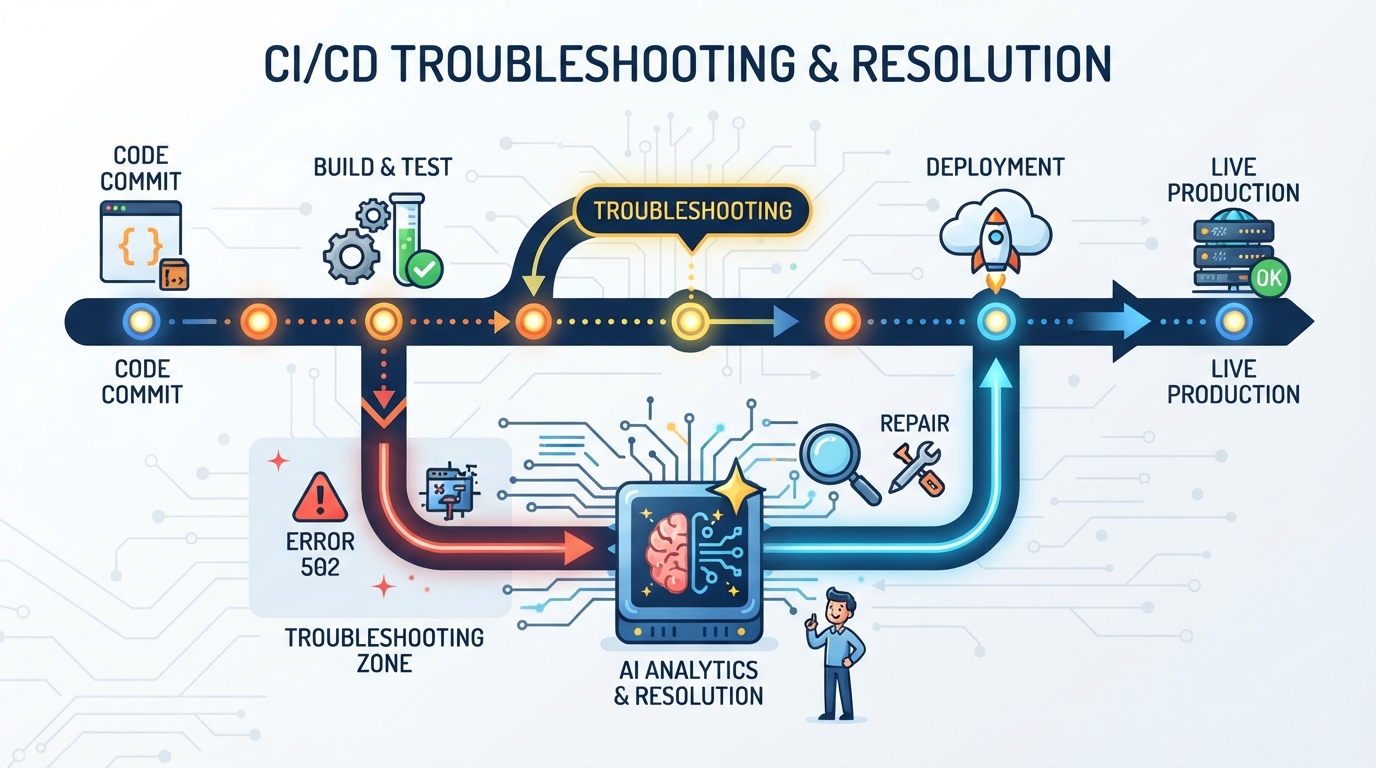
Why Bolt.new Deployments Fail
new to deploy your application, encountering a deployment failure can be both frustrating and perplexing, especially if the project previewed without issues. This symptom often manifests as error messages during the build process or a complete halt in deployment without any clear indicators from the tool itself. new.
These tools can streamline the coding process but often leave users in the dark when it comes to deployment issues.
new are surprisingly frequent due to the unique nature of AI-generated code and the specific configurations required in the deployment phase. In many cases, these failures arise from dependencies that are missing in the production environment or from misconfigured settings that were not apparent during the development phase.
The AI's ability to generate code quickly does not always translate to a seamless integration and deployment process, which can lead to unexpected roadblocks that are difficult to diagnose without a deep understanding of the underlying issues. Users may find themselves spending hours chasing down errors that are not immediately obvious.
new deployments fail is when the generated code relies on unsupported package versions or unrecognized modules that work locally but not in a production setting. This discrepancy is often due to differences in how local development environments are configured compared to production servers, leading to confusion and errors during the deployment attempt.
Understanding these nuances is key to diagnosing the issue effectively and planning a path forward. Developers need to be particularly vigilant about the versions of packages they are using and how these align with the production environment requirements.
Quick Safety Checklist Before You Panic
Before delving deep into the technicalities, here’s a quick list of non-destructive checks you can perform right away. These steps are designed to ensure that you don't inadvertently disrupt your current setup or lose critical data while troubleshooting.
Remember, these checks are about confirming the basics—often the root of deployment failures lies within simple misconfigurations that can be easily overlooked during the rush to deploy.
Start by verifying that all environment variables are correctly set in both your local setup and the production environment. A mismatch here can cause significant issues, as environment variables often control key functionalities like database connections and API access.
Next, ensure that all required dependencies are installed and that versions match those specified in your configuration files. Discrepancies in dependency versions can lead to incompatibility issues that prevent successful deployment.
It's also crucial to check the logs for any specific error messages that could indicate the root of the failure. Logs are invaluable as they provide detailed information about what went wrong.
Additionally, confirm that API keys or authentication details have not expired or been misconfigured, and make sure there is sufficient server capacity and resources available for the deployment.
Lastly, double-check that file paths and directory structures in the codebase align correctly with the server setup, and review any recent changes to the code or configuration that could affect deployment.
- Verify that all environment variables are correctly set in both your local setup and production environment.
- Ensure that all required dependencies are installed and versions match those specified in your configuration files.
- Check the logs for any specific error messages that could indicate the root of the failure.
- Confirm that API keys or authentication details have not expired or been misconfigured.
- Make sure that there is sufficient server capacity and resources available for the deployment.
- Double-check that file paths and directory structures in the codebase align correctly with the server setup.
- Review any recent changes to the code or configuration that could affect deployment.
Common Tools and Setups Facing Deployment Issues
new, especially when certain configurations and environments are involved. Typically, these issues arise in scenarios where developers are working with complex stacks or integrating multiple third-party services.
Users who attempt to deploy applications with diverse dependencies and configurations that have not been fully aligned between local and production systems are particularly prone to experiencing deployment failures. These complexities can exacerbate the inherent challenges posed by AI-generated code.
One common setup that faces challenges includes those using containerized environments. Such setups often require precise configurations of environment variables and dependencies, which can be easily mishandled by AI-generated code.
This can lead to discrepancies between what works in the local container and what fails in production, due to overlooked settings or default assumptions made by the AI tool. These environments demand a meticulous approach to ensure that all components are correctly aligned and that the deployment mimics the development setup as closely as possible.
Additionally, projects that heavily rely on API integrations or external services can encounter issues if the connectivity or credential settings are not mirrored accurately from development to deployment. Misalignment in these settings can create points of failure that are difficult to trace without a thorough understanding of both the internal and external systems involved.
Developers should consider maintaining detailed documentation and using automated tools to ensure consistency across environments.
Core Reasons Behind Deployment Failures
Understanding the core reasons behind deployment failures is crucial to effectively troubleshoot issues with Bolt.new. These failures often stem from a few key areas that developers might overlook during the initial phases of an AI-generated project. Recognizing these common pitfalls can help streamline the troubleshooting process and prevent future deployment issues.
One of the primary reasons is missing dependencies. During the development phase, packages might be globally available on your local machine, but if these dependencies are not explicitly listed in your project’s configuration, they won’t be installed on the production server, leading to a failure.
This oversight is particularly common in AI-generated projects where the dependency structure might not be as transparent as manually coded projects.
Environment variables also play a crucial role. Misconfigurations, such as incorrect naming or missing variables that are essential for authentication and API integrations, are common culprits. Ensuring that these variables are correctly set up and securely transferred to the production environment is vital.
Developers should use environment variable management tools to help automate and verify these settings.
Unsupported package versions or modules can also cause significant issues. While the AI tool might generate code using the latest versions by default, the production environment might not support these newer packages due to compatibility issues, leading to a breakdown during deployment.
Being proactive about version control and using version-locking strategies can help mitigate these types of failures.
Dependency Management
Dependencies are foundational to any application's functionality, and managing them effectively is crucial in deployment scenarios. new, failing to declare all required dependencies in your configuration files can lead to unexpected failures. These omissions are often the result of code that runs locally without explicit declarations, masking the absence of these dependencies until deployment.
Dependency management is not just about listing libraries; it involves understanding how each package interacts within your codebase and ensuring compatibility across different environments.
js projects) are up to date and include all necessary modules. This practice helps maintain consistency between development and production environments. Regularly audit your dependency list and consider using tools like dependency checkers that can alert you to potential issues before they affect your deployment pipeline.
Environment Variable Misconfigurations
Environment variables are often used to manage sensitive information like API keys and database credentials. A common oversight is the incorrect setup of these variables in the production environment. This can be due to typos, incorrect file paths, or missing variables altogether.
These errors are often subtle but can cause significant disruptions if not addressed properly.
It's important to cross-reference your environment variable names and values between local and production environments. Consider using tools that provide a seamless transition of these variables to avoid manual errors. Implementing environment variable management systems can help automate this process and reduce the risk of human error, especially in large projects with multiple variables.
Version Compatibility Issues
Version compatibility issues arise when the code utilizes features from newer package versions that aren’t supported in the production environment. This is a frequent problem when AI-generated code defaults to the latest versions available during coding sessions. These default settings can inadvertently introduce breaking changes that aren't apparent until deployment.
To resolve this, you should lock package versions within your configuration files and test these versions in a staging environment that replicates production conditions as closely as possible. This ensures that any version-related issues are caught early in the deployment pipeline.
Regular testing and proactive management of package versions are critical to maintaining compatibility and avoiding unexpected failures.
Safe Steps to Diagnose the Issue Yourself
new, there are several non-destructive steps you can take to diagnose the issue safely. Remember to take a backup of your current setup to prevent data loss before proceeding with any troubleshooting measures. A backup ensures that you can restore your project to its previous state if any further issues arise during the troubleshooting process.
First, systematically review the error logs generated during the deployment process. These logs often contain vital clues about what went wrong, highlighting specific lines of code or configurations that triggered the failure. Pay special attention to any recurring error messages that might suggest a pattern.
Logs can often indicate whether the issue is related to a specific module, configuration file, or system resource.
Next, verify the environment variables and ensure they are correctly set up both locally and in production. If discrepancies exist, adjust them to match the expected configuration. Consider using environment variable management tools to streamline this process across different environments.
Consistency in environment variables can prevent a large number of deployment issues related to misconfigured authentication and resource paths.
Lastly, audit your dependencies and package versions. Confirm that they match those specified in your project’s configuration files and that no critical packages are missing. Use your package manager to reinstall dependencies if necessary, ensuring all required modules are included.
Regular audits can help catch missing or outdated dependencies that are not immediately apparent during initial code reviews.
- Check deployment logs for specific error messages.
- Verify environment variable configurations for accuracy.
- Audit and reinstall dependencies if critical packages are missing.
- Cross-reference package versions with project configurations.
- Ensure API connectivity and credentials are correctly configured.
Limitations of AI in Resolving Deployment Problems
new offer powerful capabilities in generating code, they still have limitations when it comes to resolving deployment problems. One of the primary limitations is the AI’s lack of understanding of the entire architectural context of the application.
AI tools generally excel at pattern recognition and code generation but falter when it comes to understanding nuanced deployment environments. This gap can lead to misaligned solutions that don't fully address the specific challenges of your deployment setup.
Context limitations can result in the AI proposing solutions that are not feasible within the constraints of your specific production setup. This occurs because AI lacks the ability to fully assimilate external system dependencies or configuration quirks that humans would typically identify through experience.
These context blind spots are particularly prevalent in projects that involve legacy systems or intricate third-party integrations.
Furthermore, AI-generated code often contains placeholder logic meant to be refined by a developer. This placeholder logic can lead to errors during deployment if left unchecked, as it may not account for the real-world complexities of the production environment.
These limitations mean that, while AI can aid in speeding up development, its ability to troubleshoot and resolve deployment issues without human intervention is limited. Developers should always plan for a human review of AI-generated code to ensure it aligns with the environmental and operational requirements of the application.
Recognizing When to Call in the Experts
Knowing when to seek expert help is crucial in efficiently resolving deployment failures with Bolt.new. There are several indicators that suggest it’s time to consult professionals who can provide a more comprehensive analysis of your deployment issues. Recognizing these signs early can save time and resources, avoiding prolonged downtime and further complications.
One key signal is persistent deployment failures that occur despite following standard troubleshooting steps. If you’ve reviewed logs, verified configurations, and checked dependencies without success, it's likely that the issue requires a deeper understanding of the build process and potential structural flaws in the code.
Unresolved issues can often lead to cascading problems that affect other parts of the application.
Another indication is if your application’s architecture involves complex integrations with third-party services or advanced authentication mechanisms. These elements can introduce subtle bugs and deployment challenges that are difficult to resolve without specialized knowledge and experience.
Complex setups often require a detailed understanding of both the application and its interaction with external services, tasks that are best suited for experienced professionals.
Finally, if your deployment failures are causing significant downtime or affecting business operations, it's prudent to bring in experts like BuildRescue. They can offer targeted solutions and ensure a smooth deployment process, minimizing the impact on your application and user experience.
Professional intervention can lead to more robust solutions that not only fix the immediate problem but also enhance the reliability and performance of your application in the long run.
Frequently asked questions
What are common errors with Bolt.new deployments?
- Common errors with Bolt.new deployments include missing dependencies, environment variable misconfigurations, and unsupported package versions. These issues often result in build failures or application crashes during deployment. Ensuring that these aspects are correctly configured can prevent many typical deployment issues.
How can I safely check my deployment settings?
- To safely check your deployment settings, verify your environment variables, review error logs for specific messages, and ensure all dependencies are correctly installed and configured. These checks can help identify and resolve common deployment issues without impacting your existing setup.
Why does my Bolt.new app only fail during deployment?
- Your Bolt.new app may fail during deployment due to discrepancies between your local development environment and the production server. Issues like missing dependencies or misconfigured environment variables can lead to such failures. Ensuring consistency between environments is key to successful deployments.
What limitations does Bolt.new have in fixing deployment issues?
- Bolt.new has limitations in fixing deployment issues due to its inability to fully understand complex architectural contexts or configuration nuances that require human experience to resolve. While it excels in code generation, deployment issues often need human oversight to address intricate problems.
When is it time to get expert help for deployment failures?
- It's time to get expert help when deployment failures persist despite standard troubleshooting efforts, involve complex integrations, or significantly impact business operations. Experts can provide comprehensive solutions that address underlying issues and improve overall deployment reliability.